
Invitrogen market a number of kits and cloning vectors designed to simplify the cloning and subcloning of DNA fragments such as those generated by PCR amplification. Amongst the most popular are the Gateway and TOPO kits. For detailed information on the concepts, availability and pricing of these kits, please visit the Invitrogen web site.
MacVector includes support for simulating Gateway and TOPO cloning manipulations so that you can accurately document the sequences of the constructed molecules using a simple point and click interface.
Vectors
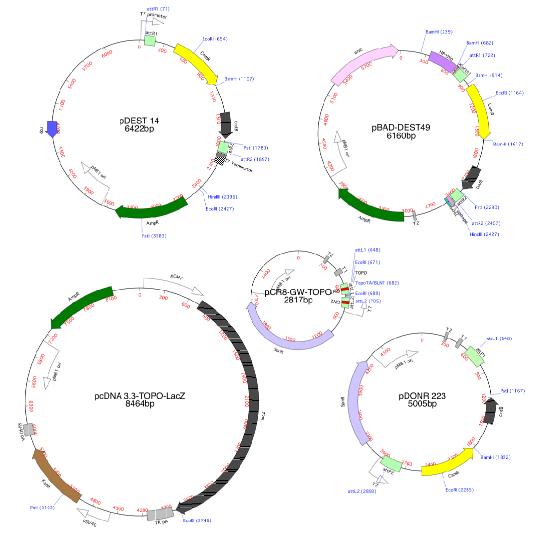
MacVector includes a variety of Invitrogen vectors nicely formatted for use in Gateway, TOPO-TA and Zero Blunt cloning manipulations. You can download additional vectors for the Invitrogen web site or from many other places, including the NCBI. If the vectors you download do not have features or don’t have nice formatting like the one’s supplied with MacVector, you can use the auto-annotation function of MacVector to quickly annotate the sequences based on the vectors in the /MacVector 11/Common Vectors/Invitrogen/ folder.
TOPO TA and Zero Blunt Cloning
MacVector lets you replicate a TOPO TA or Zero Blunt cloning using the following simple steps;
- Select the region in a source DNA molecule corresponding to the PCR fragment.
- Choose Edit | Copy to copy the blunt ended fragment to the clipboard.
- Open the target vector molecule and view the TopoTA/BLNT cloning site in the Map tab using the Common Enzymes set of sites.
- Select the TopoTA/BLNT site and choose Edit | Ligate.
- Click on the Ligate button to insert the fragment.
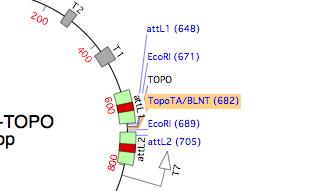
Select the TopoTA/BLNT site and choose Edit | Ligate.
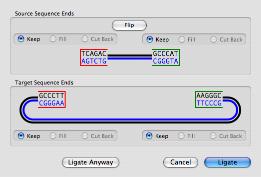
The Ligation dialog lets you view and confirm the structure of the ends.
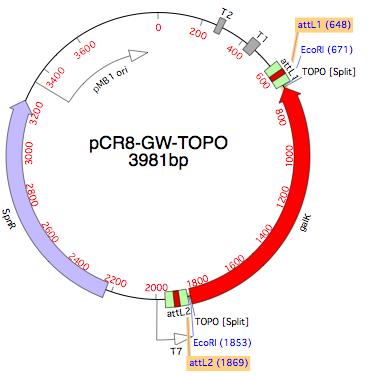
After clicking Ligate, the source fragments is inserted into the vector. In this example, the insert is now flanked by Gateway att sites.
Gateway Cloning
MacVector automatically displays the att sites used in Gateway cloning in the graphical Map display of a sequence. As with TOPO TA cloning, replicating Gateway cloning just requires a few simple steps;
- Select the att sites in the source vector by holding down the <shift> key and clicking on the sites
- Open the destination vector and click on the corresponding target att sites
- Choose Edit | Ligate.
- Click on the Ligate button to insert the source fragment into the destination vector.
Because the attL1/attR1 and attL2/attR2 sites have a slighlty different core sequence, the source fragment can only recombine into the target sequence in one orientation. MacVector automatically flips the source if necessary so that it always gets inserted in the biologically correct orientation.
To replicate a Gateway cloning, first select a pair of att sites in your source vector, as shown at the end of the Topo cloning example above and choose Edit | Copy (or Edit | Digest) to copy the fragment to the clipboard.
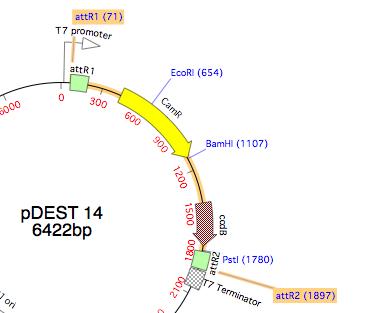
Select the target att sites in the destination vector and choose Edit | Ligate
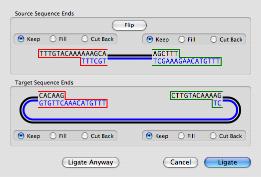
The Ligation dialog shows the compatibility between the att recombination sites. Click on Ligate to complete the cloning.
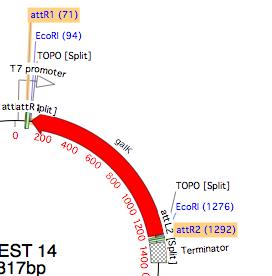
The recombination event replaces the intervening vector sequence with the source fragment.