It’s very quick to download the latest version of a sequence if you know its accession number. When you start working with a new sequence, it’s the best place to start. If you do not know the accession number, then it’s still easy, but you might need to perform a more complex search to only…
MacVector is extremely customizable. If you don’t like the defaults we supply, its very easy to change them. Lets look at restriction enzyme sites. By default we show unique sites in small red letters and sites that cut more than once in small blue letters. But suppose you want something bigger, bolder and, well, more…
The Cloning Clipboard is an easy, and flexible, way to design and document your cloning strategies. Here’s two tips on manipulating a single fragment. – If you drag a fragment from the Cloning Clipboard to a vector, then you’ll get the ligation dialog. However, if you have already selected a pair of enzyme sites, then…
When you are looking for open reading frames in newly sequenced regions, it’s not always the longest ORFs that are protein-encoding. Lets look at an example from one of the sequences included with MacVector: /Applications/MacVector/Sample Files/Gal Cosmid.nucl. This is from Streptomyces coelicolor, a filamentous bacteria with a 73% G+C content. The high G+C% means that…
You can use the Database | Align To Folder function as your own “personal BLAST search”, comparing a sequence to all of the sequences in a target folder hierarchy. The files in the folder can be in any format MacVector recognizes, including fasta and fastq formatted multiple sequence files. Many users take this approach to…
When you copy a section from a long sequence and paste it into a new MacVector window, the original numbering from the original sequence is retained. This is very useful if you want to work on a shorter segment of a genome without losing the original numbering. However, sometimes it is preferable to have the…
OS X’s Finder has many features for quickly finding and working with your files. Spotlight Search is one such tool that most Mac users are familiar with. However, Smart Folders is a tool that is very useful but often overlooked. Smart Folders allow you to create a dynamic folder whose contents are derived from a…
MacVector tries to optimize the Map graphics layout using a trade-off between performance and minimizing unnecessary white space. Sometimes the default settings we have chosen are not ideal, particularly if you are looking at the Map tab of an Align To Reference window where you have a large number of reads overlapping the same region.…
We often get asked “how do I do an alignment” using MacVector? Well, the answer to that is always “it depends”, and it depends on what you want to learn about your sequence(s). Here’s a quick summary of the different types of alignments and what you would use them for: You can learn more about…
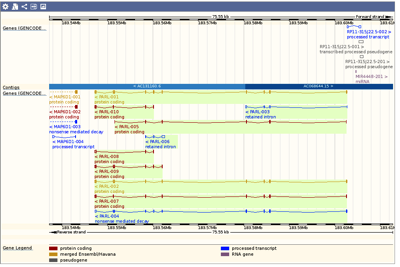
Many Genome Browsers/databases allow you to browse and view genomes, or a specific gene/region, with a high degree of detail. For example ENSEMBL and the UCSC Genome Browser. However, many times you want to work with that data on your own Mac. As usual the easiest way to exchange sequence data is using the Genbank…