It’s that time of year when summer is coming to a close and you need to get ready for teaching again! However, to make you feel a little better, did you know that you can get FREE licenses for teaching purposes? MacVector makes a great teaching tool and we offer free teaching licenses for anyone…
Having to update software is an annoying, but essential, part of modern computing life! All software has bugs that need fixing and good software should add new features as well. We try with MacVector to do both, But that means that from time to time you will need to download and install a new version.…
Up until MacVector 13 Applescript support was fairly limited. However, with this release we’ve started to expand it. The first enhancement has been to improve the export of files. Now you can export files to any supported format. Over the next few releases this support will be further expanded to include some analysis tools. If…
All assemblies are stored using the BAM file format. This is a binary file that stores each read and where and which consensus/contig/reference it is mapped against. It is a compressed version of the pure text SAM format. For some post assembly tasks it is necessary to do further processing on the BAM file. To…
Velvet is a short read aligner that works very well on a wide variety of reads. Velvet excels at de novo assembly of sequencing reads from second and newer generation sequencers. In our latest release, MacVector 13, we’ve added Velvet to Assembler. This joins the existing tools, Phrap for Sanger sequencing reads and Bowtie for…
Calculating an accurate melting temperature of your oligos, your template and of the predicted product is important to set the cycling parameters of your PCR machine. The Tm calculations in MacVector were updated in MacVector 12.6 to use a more modern algorithm. MacVector has always used thermodynamic “nearest neighbor” calculations, but there were two changes…
MacVector generally just works. However, even the most well behaved of applications sometime have problems. If you have restarted the application and restarted your Mac then a good troubleshooting step to perform next is to reset your preferences. For Mountain Lion and earlier deleting the preferences meant opening up Finder, navigating to your ~/Library folder…
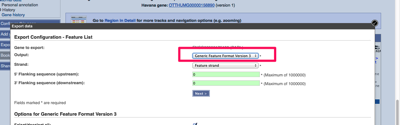
There’s a few different ways to import annotation from the ENSEMBL database browser, as well as other databases. Using Genbank The easiest way to export from ENSEMBL and keep all annotation is to use the Genbank format. The default format will be FASTA which has no annotation. With Genbank all the annotation is stored in…
When you’ve got a lot of licenses and a lot of computers to manage, a network license is the most effective way of letting your users access their favourite sequence analysis app for the Mac! MacVector network license use the KeyServer network license software from Sassafras. However, in addition to the KeyServer setup MacVector also…
New to MacVector 13 is the ability to quickly test a pair of primers. Previously to test a pair of primers with the Primer3 tool you needed to modify the expected product and reduce the stringency of all parameters so that your primers would be accepted. Now when you enter a pair of primers into…