

Month: April 2018
-
MacVector 16 and macOS High Sierra 10.13.4.
Apple have just released macOS® High Sierra 10.13.4. This may appear to be just an incremental update to macOS High Sierra. However, under the hood there are some major changes, not least is a new warning dialog if you are running an older application on macOS High Sierra. With the release of macOS High Sierra 10.13.4…
-
Assemble bacterial genomes in minutes on your Mac laptop
MacVector with Assembler contains some remarkably powerful algorithms for assembling Next Generation Sequencing (NGS) data. Not so long ago, you needed a powerful Linux server with lots of memory for de novo assembly of whole genomes. But with advances in the efficiency of algorithms and improvements in hardware, it is now possible to assemble quite…
-
Simple Assembly of Sanger Sequencing Files with MacVector Assembler
Update: As of September 2024 Assembler will be added at no cost when you upgrade or renew maintenance. Contact Support if you have not yet been upgraded. With MacVector Assembler, assembling ABI Sanger Sequencing files is simple, fast and accurate. MacVector uses the popular phred/phrap/cross_match set of tools from the University of Washington. To improve…
-
Assembling sequencing data with MacVector and Assembler
Update: As of September 2024 Assembler will be added at no cost when you upgrade or renew maintenance. Contact Support if you have not yet been upgraded. To assemble various types of sequencing reads, follow these steps. Then follow one of the following: To create a de novo assembly from Sanger reads To create a…
-
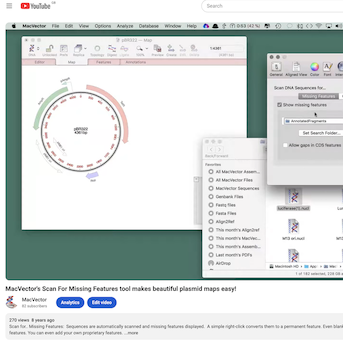
MacVector video tutorials on You Tube
There are short video tips on using MacVector on our blog and our YouTube channel. Each one is less than two minutes and generally shorter than that! Please subscribe so you don’t miss any! The latest screencasts include quickly annotating a gene to a sequence, confirming a small sequencing project against a reference and checking…
-
Use the Replica Button For Synchronized Views
Most primary MacVector windows (Nucleic Acid Sequence, Protein Sequence, Multiple Sequence Alignment, Align To Reference, Contig Assembly etc.) have a Replica toolbar button. If you click that button, a second window will open, potentially set to a different tab. The key to this functionality is that the two windows are linked – any selections you…
-
How to Identify Bacterial Promoters Using MacVector
MacVector’s Subsequence tool is a very flexible search function that can be used for a variety of tasks. MacVector itself has a built-in variant of the function for maintaining and search primer databases (Analyze | Primer Database Search…). Each entry in the file MacVector uses as a source of subsequence data can have up to…
-
Import Multi-Sequence Genbank Files into an Assembly Project for easy access to Features
There are many genomes in the Genbank database that cannot be downloaded as single annotated sequences. These might be large multi-chromosome eukaryotic genomes, but, increasingly, partially sequenced bacterial chromosomes where the major contigs have been annotated using the NCBI annotation pipeline. Typically, when you encounter these, there are options to download annotated versions of these…
-
Opening multiple sequences as alignments or individual sequences
Many sequence formats contain multiple concatenated sequence entries. For example FASTA and Genbank are two formats capable of storing multiple individual sequences. By default MacVector will treat such sequences as alignments and open them in the Multiple Sequence Alignment editor. Most users who want to open such a file do want to see an alignment.…
-
Restoring file associations when MacVector no longer opens your sequences
Macs are pretty good at choosing the right application to open a document. For example when you double click on a .nucl document then it will open in MacVector. However, sometimes this file association breaks. Applications should coexist peacefully on a Mac, but sometimes a misbehaving app will corrupt these file associations and you will…