

Category: Tips
-
Know Your Alignments
We often get asked “how do I do an alignment” using MacVector? Well, the answer to that is always “it depends”, and it depends on what you want to learn about your sequence(s). Here’s a quick summary of the different types of alignments and what you would use them for: You can learn more about…
-
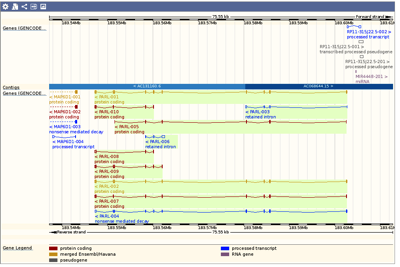
Importing sequences/features from websites such as ENSEMBL or UCSC’s Genome Browser
Many Genome Browsers/databases allow you to browse and view genomes, or a specific gene/region, with a high degree of detail. For example ENSEMBL and the UCSC Genome Browser. However, many times you want to work with that data on your own Mac. As usual the easiest way to exchange sequence data is using the Genbank…
-
How to reset the zoom level when you Drag Zoom into your sequence.
Being able to Drag Zoom makes it easy to view a specific region of your sequence in greater detail. To Drag Zoom, just hold down the mouse button and drag the cursor along your sequence. The Map view will redraw to show the selected area in greater detail. Once you are zoomed in you have…
-
Generating a primer report to send to your Oligo Synthesis service
QuickTest Primer is a great tool for primer design. Paired with Primer Design/Test (Pairs) it gives you great control and flexibility for designing primers with tails, mismatches, silent mutations, one out sites and more. Once you’ve designed your primer the next step is to get it synthesized. QuickTest Primer will produce a PDF report of…
-
Selecting sequence residues in the Map tab
The Map tab is very flexible and allows you to do almost all of the sequence manipulations you might need, without switching tabs. In addition to selecting segments of a sequence by clicking on Restriction Enzyme sites or Features, you can also directly select sequence even when the residues are not visible and represented by…
-
Testing pairs of primers
Quite a few versions back MacVector used to have an old, but well loved, Test PCR Primer Pairs algorithm. Its interface was clunky and it did not take into account modern algorithms for calculating Tm. However, the results were useful. If you liked this tool then you will be pleased to know that the functionality…
-
Print Agarose Gel images with black bands on a white background
The new simulated agarose gel function in MacVector 14.5 creates photorealistic agarose gels that look just like the real thing. However, if you want to print a record of a gel on a laser printer, the standard white bands on a grey background are not always ideal, if for no other reason than it uses…
-
You can automatically use the Free version of MacVector if your serial number is in use
Starting with MacVector 14.5.1, if your serial number is in use, or if all the KeyServer licenses are in use, you will get a message like this when you start MacVector. If you click on the Continue using Free version button, you still have a surprising amount of functionality. You can open, print and save…
-
Clearing the history in the Primer and Find dialogs
Many tools in MacVector store a history of sequences, or search terms, that you have previously used. For example, the Find dialog and Primer Design tools. This is accessed using a drop down menu to the right of the box where you would normally type, or paste, your sequence. This is to allow easy access…
-
A few tips on working with digested fragments in the Cloning Clipboard
The Cloning Clipboard is an easy, and flexible, way to design and document your cloning strategies. Here’s two tips on manipulating a single fragment.