
Category: Tips
-
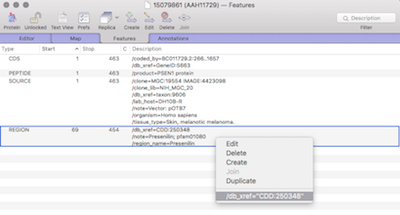
MacVectorTip: Viewing external database entries for features in a sequence.
Sequences, or regions of sequences, can be linked to external databases. For example an entire sequence entry or for when annotation tools are used to annotate proteins with domain or motif information (for example InterProScan). Very useful for when you want to view more detailed or updated information. Within the Genbank specification, which MacVector extensively…
-
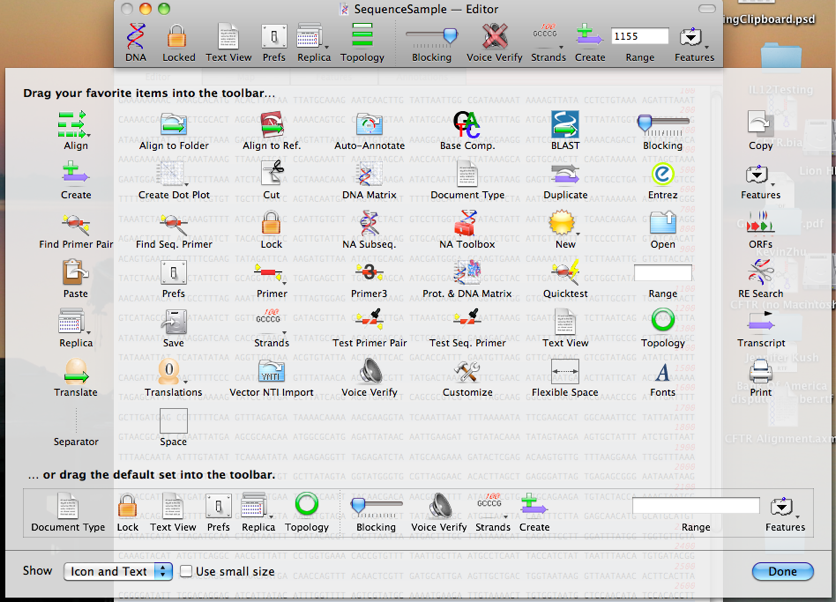
MacVectorTip: How to Customize Window Button Toolbars
Like many Mac applications, MacVector takes full advantage of the built-in ability to add, delete and rearrange the action buttons on window toolbars. To make these changes, right-click (or [ctrl]-click) in the gray space on any toolbar and a context-sensitive menu will appear. Choose Customize Toolbar and a dialog will be displayed with all of…
-

MacVectorTip: Understanding Color Groups
You can align hundreds, or even thousands of protein sequences within MacVector using three different alignment algorithms – ClustalW, MUSCLE or T-Coffee. Once aligned, you may be familiar with the colorful display in the Editor tab. But there’s more to this than pretty colors. The default Color Group in MacVector is one called “Chemical Type”.…
-
Weekly Tip: Use Hash Value = 12 for speedy genome comparisons with Create Dot Plot
MacVector’s Analyze | Create Dot Plot function can be used to compare entire genomes very quickly to get both an overall view of similarity (large inversions and duplications) while providing the ability to “drill down” to the residue level to see individual SNPs. One of the keys to ensuring the calculations complete in a reasonable…
-
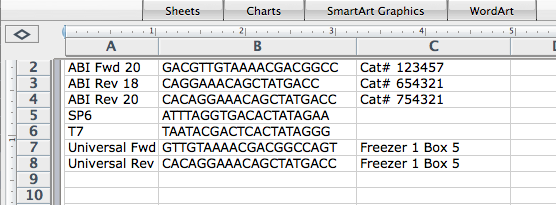
MacVector’s Primer Database – Importing primers from Excel
Many molecular biologists keep lists of their primer sequences in Excel or some other spreadsheet tool. Previously MacVector had a separate utility that allows you to import primers kept in spreadsheet format into a Primer Database for direct use within MacVector. With the release of MacVector 18.2 we have integrated this functionality within MacVector. Rather…
-
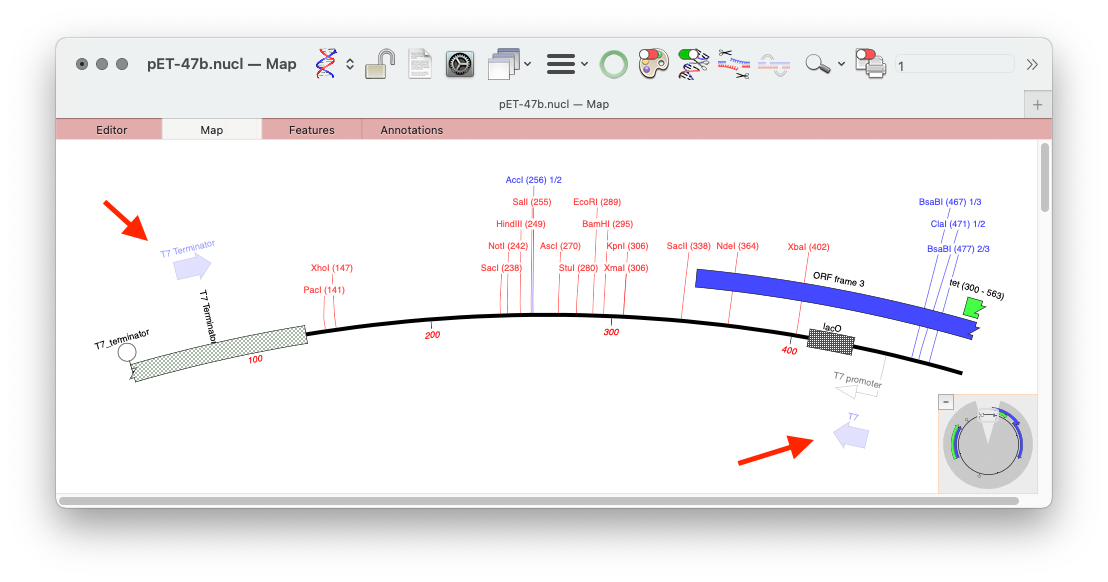
MacVectorTip: Scan For… Missing Primers: Automatically display Primer Binding Site on your sequences
MacVector’s Scan DNA For.. tool allows you to automatically display restriction enzyme recognition sites, putative ORFs, CRISPR PAM sites, missing annotation and also it will display primer binding sites from your own Primer Database in each DNA sequence that you open. Here’s an example of a couple of primers displayed on the pET 47b LIC…
-
MacVectorTip: Using the Align to Reference Shading and Trimming toolbar buttons
MacVector’s Align to Reference Editor and the Contig Editor in Assembly Projects have two useful functions for visualizing assemblies. The Shading button turns on background coloring of the residues in the upper pane, based on quality values (these can be from Sanger reads or from NGS reads). The scale ranges from a dark red for…
-
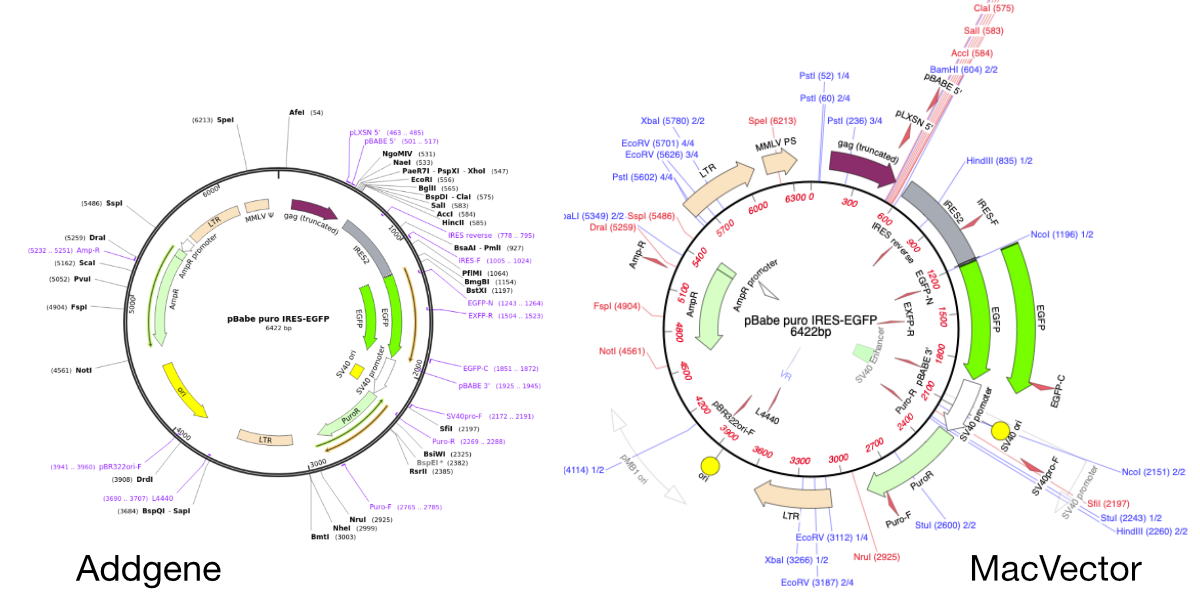
Importing SnapGene files into MacVector
MacVector will directly import SnapGene DNA files. You just need to use FILE | OPEN or double click the file. This is very useful when downloading plasmid sequences from the wonderful Addgene plasmid repository. Here’s a plasmid sequence downloaded from the Addgene website in Snapgene format. It’s been opened directly in MacVector by double clicking…
-
MacVector Tip: a complex subsequence pattern example.
MacVector’s Subsequence tools allows you to search for motifs in both protein and DNA sequences. As well as a library of existing subsequence files, such as promotors and transcription factor binding sites, you can keep a library of your own subsequence matches. Subsequences libraries are multiple patterns kept in a single file. A search will…
-
Applescript: batch translation of CDS features
Apple’s AppleScript (along with Javascript for Automation) is an easy to write and easy to understand language that allows you to easily automate tasks in supported applications. Many Apple applications have a AppleScript Dictionary that defines what functions you can automate. MacVector has many such functions in its AppleScript Dictionary. You can auto annotate multiple…