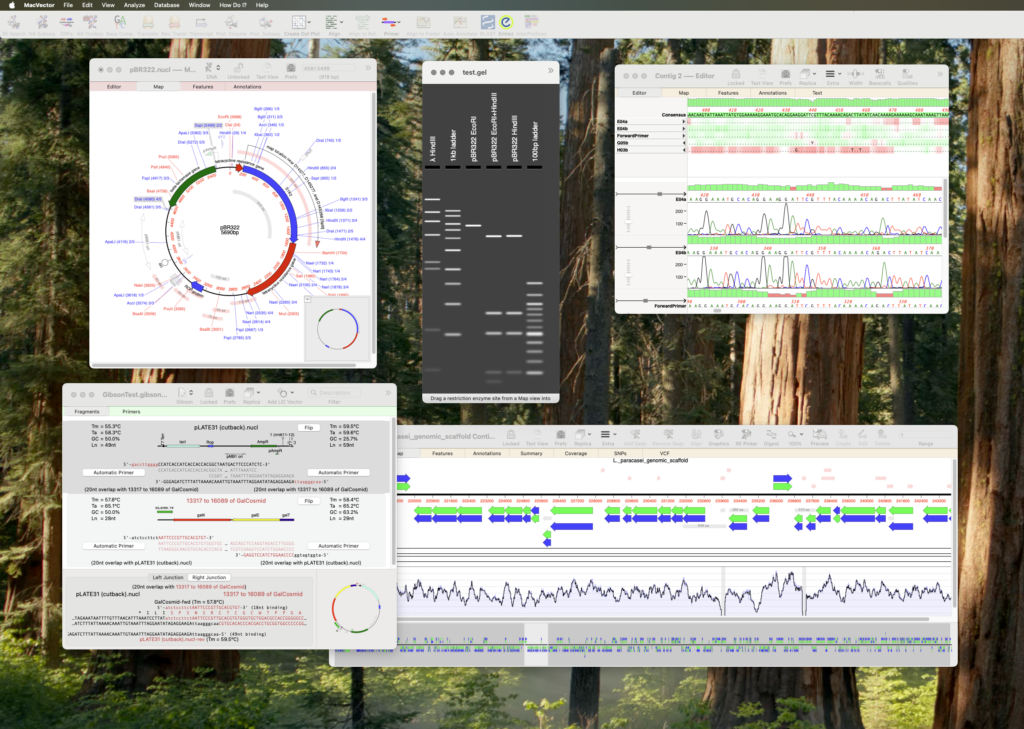
With its wide array of tools MacVector is a fantastic tool for working with your protein and DNA sequences. MacVector has always been designed for the Mac and, just like the Mac, its interface is very user friendly. Even molecular biologists who have never used a sequence analysis application before will get up and running designing primers, comparing sequences, assembling sequencing reads within a few hours.
But MacVector has a lot of tools and if you want to explore all the amazing features, we’ve got you covered.
Nobody has time to read manuals these days, so we’ve put together a list of resources to help you get up to speed in no time. Whether you’re a beginner or an experienced user, these will help you understand the full potential of MacVector.
Either start with the Overview page, explore these pages or take a look at What can MacVector do for your lab. If you are an advanced user then take an in depth look at each tool.
There’s many tutorials too. From short videos to in depth step by step workflows.
Start with this video on bringing your favourite sequence from the NCBI’s Genbank database into MacVector.
Finally here’s a friendly reminder that the MacVector Support Team is always just an email away. We’ll get back to you within a working day, and usually much quicker than that! No question is too small or silly, and we genuinely love hearing from our users. Even if you just want to share your work and ask how MacVector can help you out, we’re all ears!