

Author: Chris
-
Using the Primer Database to store your lab’s collection of primers
MacVector now directly supports storing primers within a primer database. The Primer Database tool allows you to save and retrieve primers from subsequence files within Primer3 and Quicktest Primer. You can easily create your own primer database, use existing files or import primers from Excel. Many users use subsequence files to store primers, and in…
-
Editing the appearance of individual sequences maps
Although we think that the default appearance of sequence maps in MacVector is very pretty, sometimes the defaults are not to everybody’s taste! If you think this way, then changing how maps look is very easy. Rather than edit the appearance of all of your sequences it is far better to modify the default symbol…
-
MacVector Cloning Edition
Does your lab only need a simple DNA analysis application that will help you design primers and cloning experiments? Has your budget been cut to the bone? If the answer is a resounding “yes”, then we’ve released a new version of MacVector just for you. MacVector Cloning Edition provides all of the functionality you need…
-
MacVector for Windows update
The development for MacVector for Windows progresses. It’s not ready for release yet but it’s definitely the last stage before testing. MacVector for Windows is not a Java version of MacVector. MacVector, the original, is designed for, and fully integrates with, the OS X environment. We know users really appreciate that. If you can use…
-
The “/label” qualifier, features in the Editor tab and MacVector 14.0.2
With MacVector 14.0 we introduced two minor changes that have just not pleased a lot of users. We spend a lot of time discussing all improvements in every release and we did think that these two changes improved MacVector. But a lot of users have complained about both of them. So it looks like we…
-
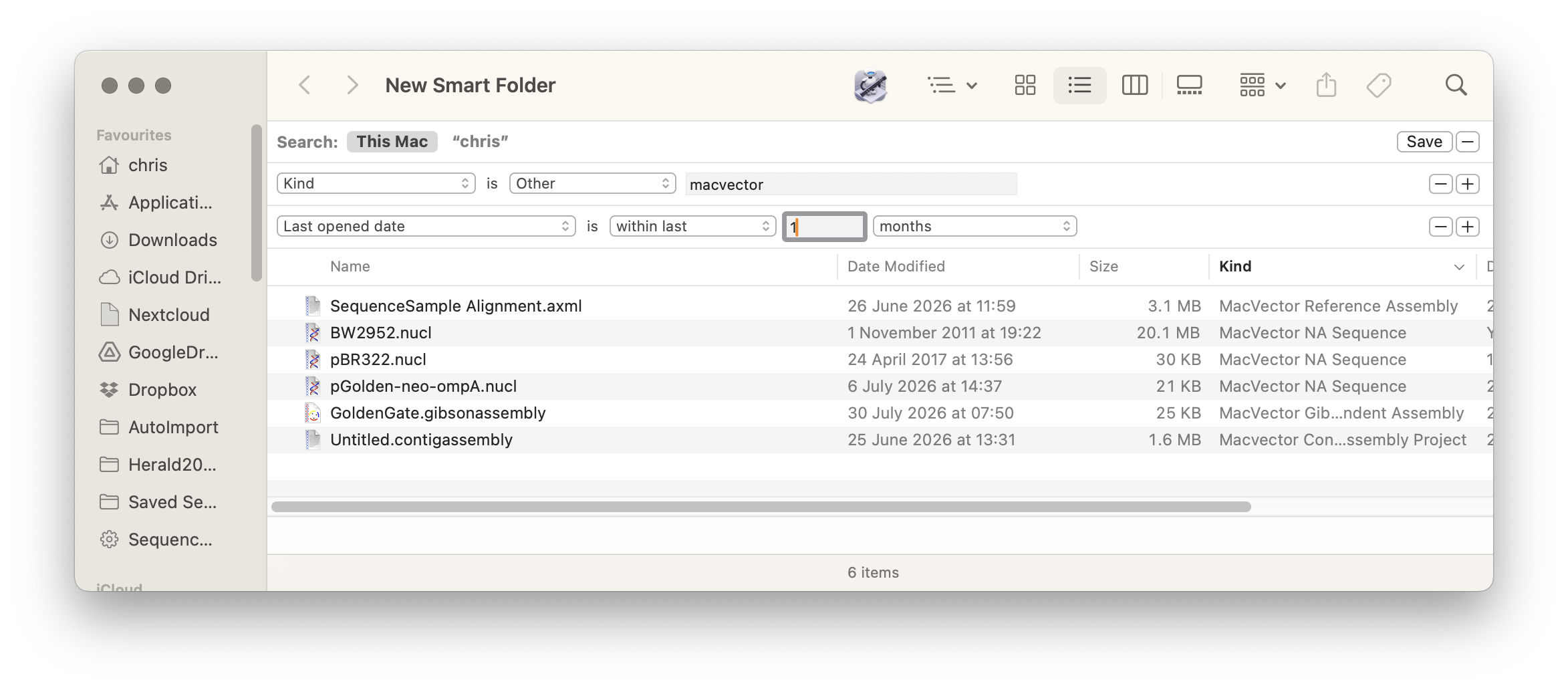
Smart Folders and MacVector
MacOS Finder has many features for quickly finding and working with your files. Spotlight Search is one such tool that most Mac users are familiar with. However, Smart Folders is a tool that is very useful but often overlooked. Smart Folders allow you to create a dynamic folder whose contents are derived from a Spotlight…
-
MacVector at ASM2015
We’ll be at the 115th General Meeting of the American Society for Microbiology from the 30th of May to the 2nd of June in New Orleans. We’re on booth 366. Please do drop by and say hello. We’ll be able to show you the upcoming release of MacVector 14 and other cool stuff. We’d also…
-
How to quickly design primers to amplify a feature on your sequence
To design a pair of primers to amplify a single feature is pretty quick with MacVector.
-
Quickly checking a small sequencing project
For analysing large sequencing datasets, whether de novo or mapping reads against a reference you need Assembler. However, many times you do not need a powerful tool but just a quick way to check some sequencing data. For example for checking small sequencing projects, such as a site directed mutagenesis, looking for SNPs in a…
-
UNIX line endings for plain text files
Sometimes you may need to export data out of MacVector for further analysis with a command line tool or sending a file to a colleague who does not have MacVector). For example exporting the VCF report out of a reference assembly or exporting a sequence into Genbank format. If these files are plain text, then…