

Category: General
-
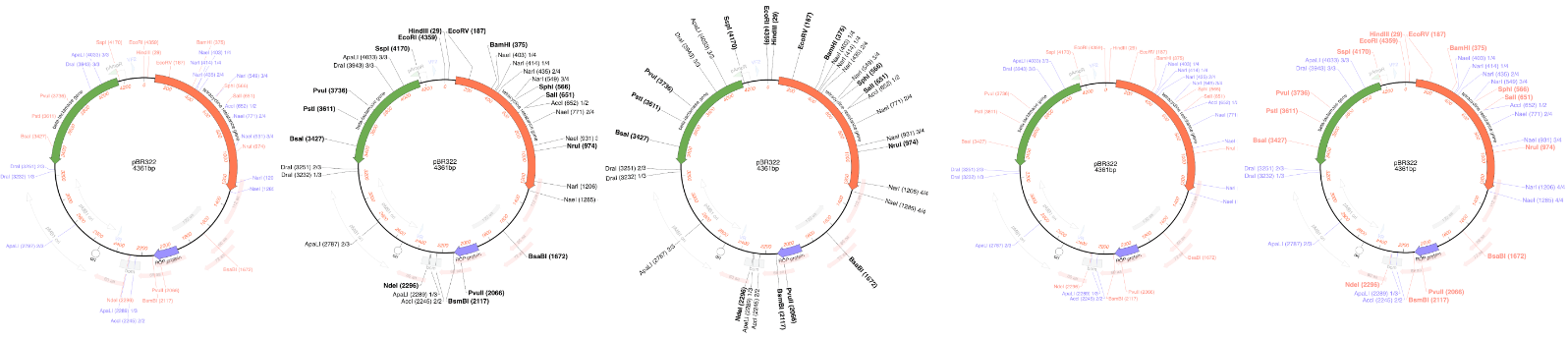
MacVector 26.1 – Make beautiful plasmid maps
We are pleased to announce our latest release. MacVector has always been about producing beautiful plasmid maps. Our latest release MacVector 26.1 takes this to a new level with customization of dynamically generated maps with SmartLine graphics. SmartLine Graphics MacVector gives the user great flexibility for customizing graphical maps. They look how you want them…
-
SmartLine graphics make beautiful plasmid maps
MacVector has always been about producing beautiful plasmid maps. Our latest release MacVector 26.1 takes this to a new level with customization of dynamically generated maps with Smart Line graphics. MacVector gives the user great flexibility for customizing graphical maps. They look how you want them to look. Every aspect can be changed, fonts, colours,…
-
MacVector and macOS Golden Gate
Apple released macOS Golden Gate on Monday (14th Sept 2026). Over the past few months we’ve been testing MacVector on development betas of macOS Golden Gate. We are happy to share that MacVector 26 is fully supported on macOS Golden Gate. Known Issues Legacy versions of MacVector. MacVector 26 is a fully Universal Binary application…
-
MacVector 26 has just been released!
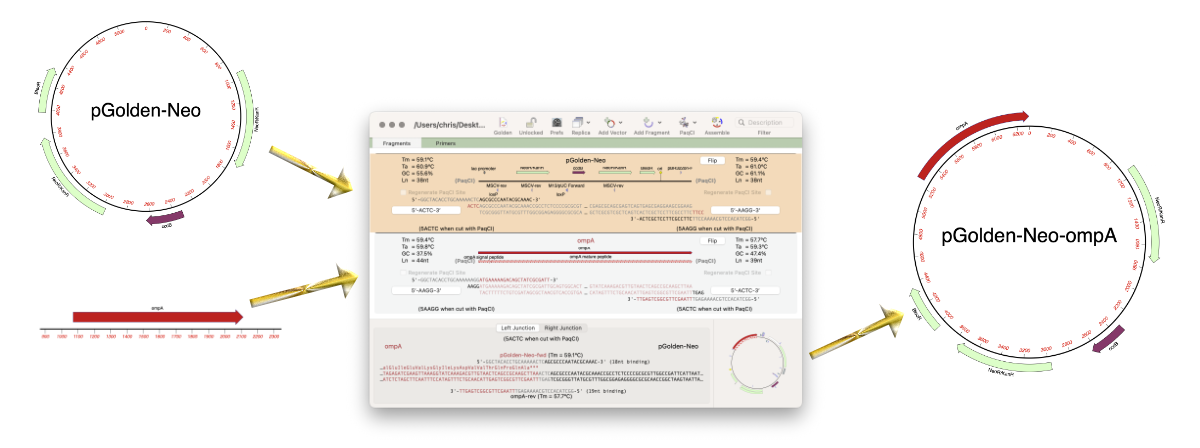
MacVector 26 was released last week (13 July 2026) and it’s a significant release. MacVector 26 has new features for designing and documenting cloning workflows and for managing your sequences. The new Cloning Project Manager allows you to design Golden Gate Cloning workflows. So along with Ligase Independent Cloning, Gibson Assembly and traditional restriction enzyme…
-
MacVector 26: Understanding macOS sandboxing
For many years now, Apple has encouraged developers to create applications that run in a “Sandbox” on macOS. In fact, for the last few years, any application downloaded from the Apple App Store must be set to run in a sandbox. This protects your computer and your data from intentional or accidental data access or…
-
MacVectorTip: How to prepare annotated eukaryotic genome assemblies for import into MacVector
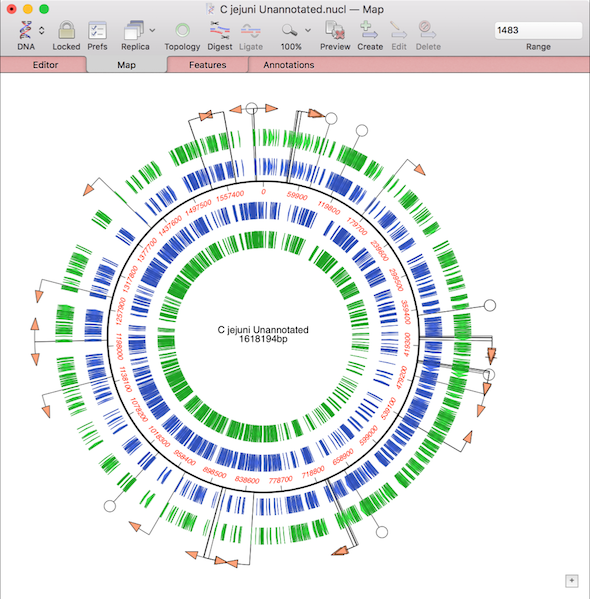
One of the more challenging aspects of dealing with large eukaryotic genomes is that most are incomplete and have many gaps. Often the genomes are available as a collection of hundreds or thousands of separate contigs, with associated annotations. This makes working with them awkward. However, increasingly, entire annotated chromosomes can be downloaded with the…
-
Merry Christmas from the MacVector team
For those who celebrate the MacVector team wish you a very merry Christmas. We hope you are able to turn off that sequencer, put away your pipette and have a relaxing time with your loved ones. Here’s to a better year for science in 2026!
-
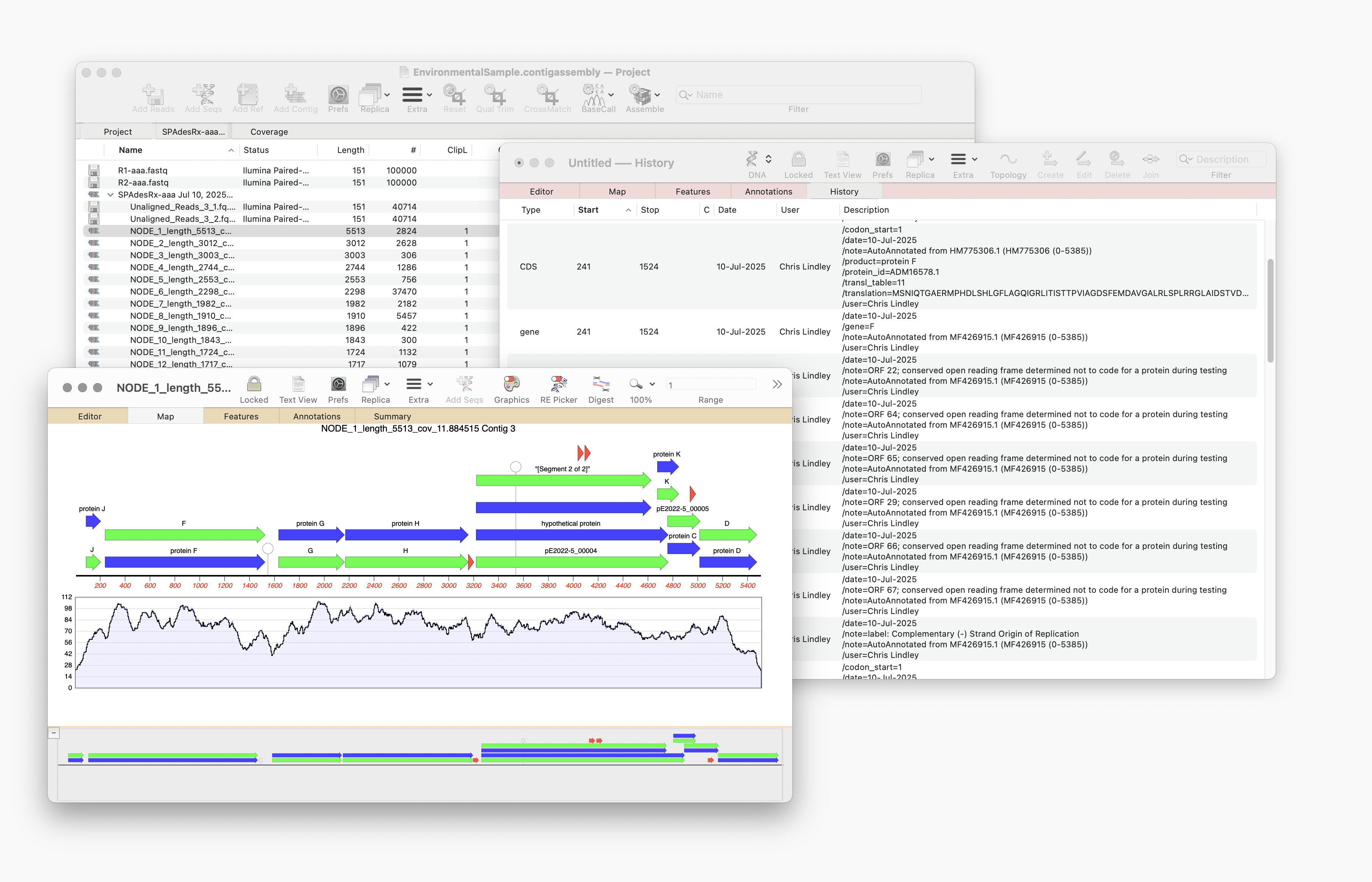
Automating annotation of sequences via BLAST
MacVector 18.8 is out and it’s packed with new tools! MacVector 18.8 has tools to help you identify and annotate unknown, unannotated or partially annotated sequences. Ideal for identifying contigs from a de novo assembly. One of these new tools is AutoAnnotate (via BLAST) Auto-Annotate (via BLAST) is similar to Auto-Annotate (local), except instead of using curated sequences on your own…
-
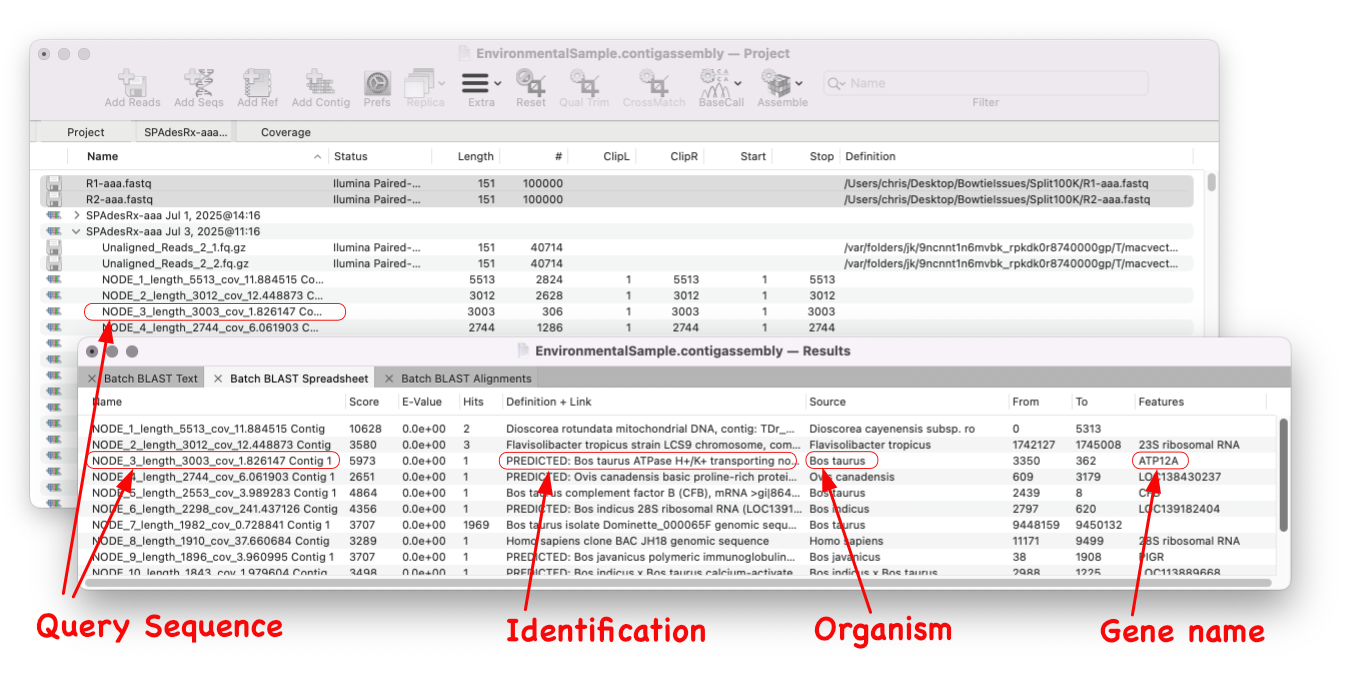
MacVector 18.8 Is Here – Packed with Powerful New Features
A game changer for identifying unknown sequences MacVector 18.8 is out and it’s packed with new tools! MacVector 18.8 has tools to help you identify and annotate unknown, unannotated or partially annotated sequences. Batch BLAST allows you to automate BLAST searches for multiple sequences and Auto-Annotate (via BLAST) allows you to automatically annotate multiple sequences.…
-
MacVector 18.8 Installer
MacVector 18.8 requires macOS Big Sur (11) or later, including macOS Tahoe when it is released. It will NOT work on Windows, macOS 10.15 (Catalina) or earlier. MacVector 18.8 is a “Universal Binary”, meaning it will run natively on both Intel and Apple Silicon based Macintosh computers. The changes in MacVector 18.8 are described in the Release Notes .…