
Category: Tips
-
MacVectorTip: Context-sensitive Menus in MacVector
Although Apple are well known (notorious?) for always providing mice with only a single obvious button, in reality the Mac interface from early versions of MacOS all the way to macOS Big Sur, plus many Mac apps, have always used right click menus (or more accurately “context sensitive menus”) to provide extra functionality. MacVector is…
-
MacVectorTip: Viewing genotype changes in Align to Reference assemblies
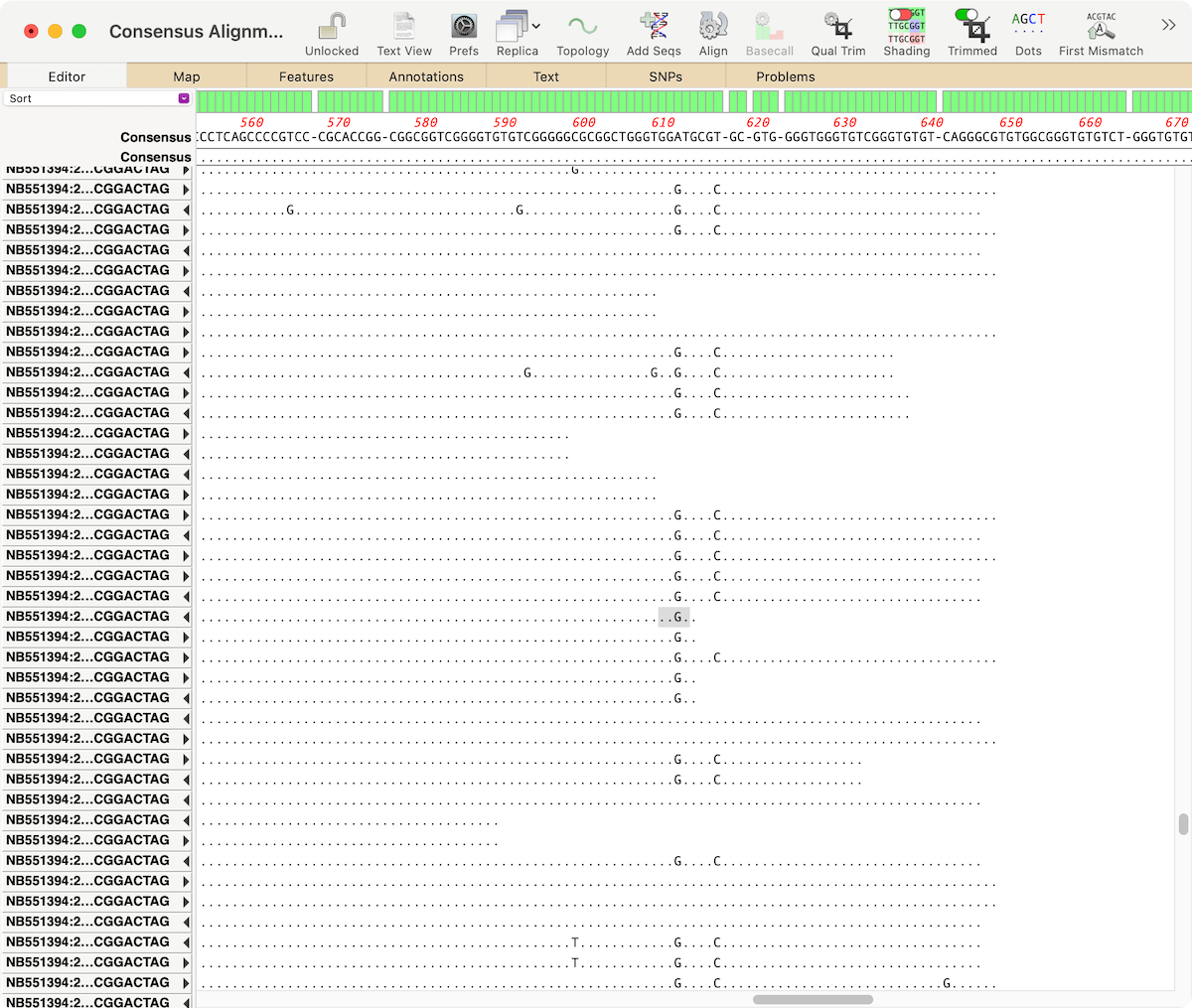
The latest releases of MacVector, MacVector 18.0.1 (Intel) and MacVector 18.1.1 (Intel and Apple Silicon) have some tweaks to the output of the SNPs tab in the Align to Reference assembly window. The genotypes of any SNP changes now follow a consistent standard, and short deletions are also reported. If the region containing the nucleotide…
-
CRISPR tools in MacVector
If you are using CRISPR editing techniques then there are two useful functions in MacVector for you: Finding CRISPR Cas9 PAM sites. You can also use Scan DNA FOR.. tool to automatically show sites on all sequences. Screening sequences for CRISPR introduced INDELS
-
Working From Home: An overview of primer design workflows in MacVector.
Working from home?. We want to help familiarize you with the wide range of functionality in MacVector that you may never have used before. Here’s an overview of workflows for designing, testing, documenting and storing primers. You may not have a PCR machine on the kitchen table, but why not take the time to store…
-
Working from home: An overview of assembling sequence data with MacVector and Assembler
Working from home Here’s a series of blog posts on the wide range of functionality in MacVector that you may never have used before. This is an overview of the many different sequence assembly tools within MacVector. The MacVector team used these tools to mine existing sequencing archives to assemble a new Pangolin SARS-CoV–2 genome. To…
-
Accessing video tutorials of common workflows inside MacVector
During the Covid-19 pandemic we want to ensure that you have access to the MacVector license that you would use in the lab, if you are working from home. If you use MacVector, even an older version, and are having trouble activating it (or installing it) at home email MacVector Support and we will help. If you…
-
Working from home – Getting your sequence into MacVector
During the Covid-19 pandemic we want to ensure that you have access to the MacVector license that you would use in the lab, if you are working from home. If you use MacVector, even an older version, and are having trouble activating it (or installing it) at home email MacVector Support and we will help. If you…
-
101 things you (maybe) didn’t know about MacVector: #52 – Data mining to identify and analyze pangolin CoV-2 analogs to the human COVID-19 virus
One of the most underrated features in MacVector is the Database | Align to Folder function. You can use this as a more sensitive version of a local BLAST search to find sequences in a “database” that match a query sequence. But in this case the “database” is simply a collection of your own sequences,…
-
Primer validation with MacVector: Primer3, Covid19 and primer design
The CDC recently published diagnostic real-time primers for identification of SARS-CoV–2 in any person suspected of having COVID–19. Unfortunately as pointed out on the Biome Informatics blog these primers have issues that should have easily been detected had the primers been tested using a good quality primer testing tool (the linked blog post uses Primer3).…
-
Importing BAM files into an Assembly Project
You can import BAM files, containing reads mapped against a reference sequence, into a MacVector Assembly Project. As well as the BAM file(s) you will also need the original reference sequence the reads were mapped against. FASTA is fine, but an annotated reference is better for visualisation. The tool needed is called ADD CONTIG. This…