

Being able to remove a restriction site by digesting with an enzyme that cuts at one site to linearize a plasmid, Klenow treating the linear fragment, then religating the fragment, is a useful trick in the lab. It can help you produce a suitable, and simple, cloning site when none previously existed in your vector. It is very simple to recreate this in your vector sequence using the Cloning Clipboard.
- Select the restriction enzyme recognition site you want to remove.
- Click DIGEST to linearize the plasmid and place it on the Cloning Clipboard.
- Switch to the Cloning Clipboard and select your new fragment.
- Click the Circularize button.
- Modify the ends to blunt them both using the Fill or Cut Back buttons.
- Click Ligate.
A new circular sequence will be created from your digested fragment
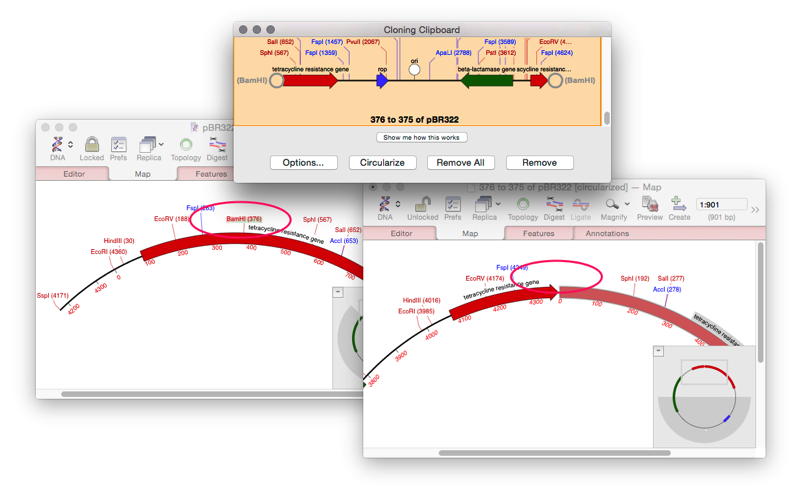
The origin of your plasmid will have changed to the digested site, so you may want to rotate the sequence to match the original sequence.