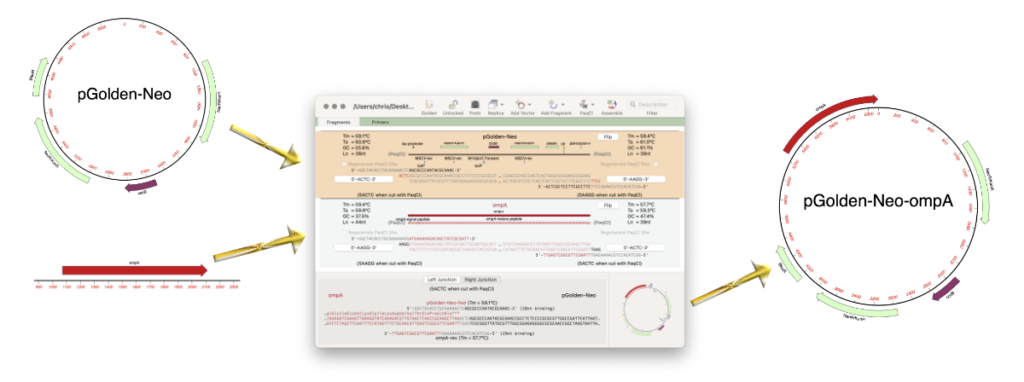
MacVector 26 (released July 2026) saw the addition of Golden Gate Cloning to the Cloning Project Manager.
Golden Gate Cloning is a molecular cloning technique that enables the seamless, ordered
assembly of multiple DNA fragments into a single construct in one reaction. Its defining feature
is the use of Type IIS restriction enzymes, which recognize specific asymmetric sequences but
cleave the DNA at a defined distance outside of that recognition site rather than within it. Because the cut site is separated from the recognition sequence, the actual overhangs generated
are not fixed by the enzyme but can be freely designed by the researcher. By engineering
complementary single-stranded overhangs (typically 4 nucleotides long) onto the ends of each
fragment, you can dictate exactly which pieces ligate together and in what order. This allows
digestion and ligation to occur simultaneously in a single “one-pot” reaction—an efficient,
scarless, and highly modular approach that underpins standardized assembly frameworks like
MoClo and the broader synthetic biology toolkit.
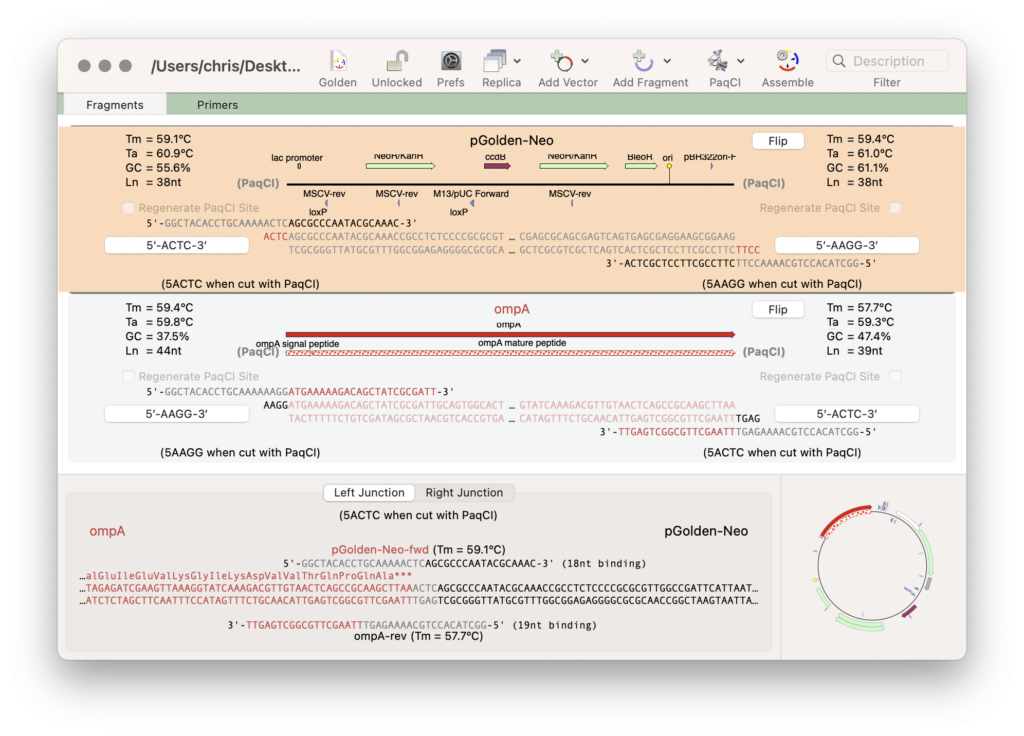
MacVector lets you create a Golden Gate Cloning “Cloning Project” to which you can add
cloning vectors with appropriate Type IIS sites, fragments of DNA that you might want to clone
into the vector, or even a collection of pre-determined circular constructs that could be cut with
a specific Type IIS enzyme an assemble into a single construct in a one-pot reaction. Where
appropriate, MacVector will generate primers to amplify fragments to generate compatible
overhangs to drive the cloning. At any time, you can customize the primer to add additional
residues to ensure coding sequences will be fused in the correct frame or change the chosen
asymmetric overhang to one of the common recommended sequences.
The Cloning Project Manager also supports Gibson Assembly, Ligase Independent Cloning and traditional restriction enzyme based cloning. The Cloning Clipboard supports In-Fusion and Gateway Cloning as well as restriction enzyme based cloning.
A Golden Gate workflow
The basic steps of a Golden Gate workflow are:
- Create a project
- Select an enzyme
- Add a vector
- Add fragments
- View required primers
- Generate the end construct.
There’s a Simple Golden Gate tutorial to follow to quickly understand how to design and document Golden Gate Cloning in MacVector.