

Our latest release MacVector 17.5 gives you new tools to make the most of your alignments.
MacVector 17.5 displays shared domains in protein alignments to visualize the relationships between aligned proteins. It introduces Flye for de novo assembly of PacBio and Oxford Nanopore long reads and a slew of enhancements to the Contig and Align to Reference Editors.
As ever there are a slew of minor enhancements, bug fixes and changes to better support the latest releases of macOS.
Outlining Shared Domains in Aligned Sequences
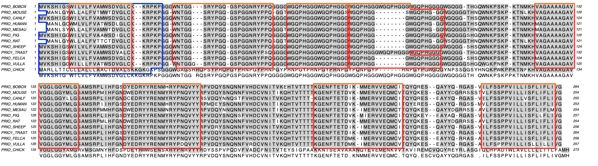
Outline shared aligned domains Multiple sequence alignments now retain feature information and can use this to outline shared domains in the Picture output tab. You can set the colors of features in the individual sequence documents in the usual way and these are used for the outlines.
banner
There is a feature display mode in the Editor tab where you can see the extent and color of the features. When you switch to the Picture tab, you will see colored outlines around the shared domains;
de novo Assembly of PacBio and Oxford Nanopore reads with Flye
Flye is an assembler algorithm tuned to assemble poor quality long reads such as those produced by PacBio and Oxford Nanopore sequencers. Because these reads tend to be very error prone, MacVector 17.5 also includes an optional polishing step using Racon. With typical bacterial genome assemblies it is fairly common to be able to assemble reads into a single full-length genome contig.
Contig and Align to Reference Editor Enhancements
There have been a number of enhancements to these editors, primarily to aid in visualizing edits and quality values and to “clean up” the visual appearance of alignments.
Residue Background Colored by Quality
There have been several changes to provide improved support for quality values of de novo contigs and reference assemblies.
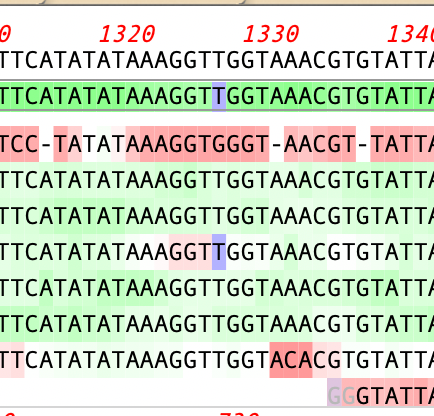
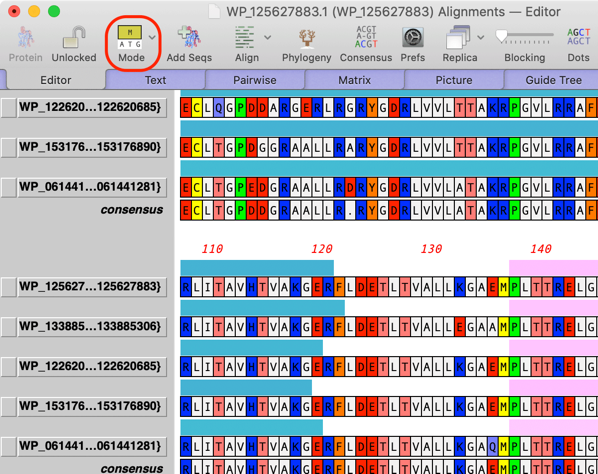
A Shading toolbar button lets you turn on coloring based on quality and edited residues are visualized with a blue background. Edited residues are always given a phred quality value of 99 – these residues are given a blue background.
Base Calling with Phred
You can now directly run phred on Sanger sequencing trace files in the Align to Reference Editor by clicking on the Basecall toolbar item with the appropriate sequences selected;
Editing Enhancements
There are some new context-sensitive menu items in the Align to Reference Editor tab
Delete Clipped Residues – deletes any greyed-out (“clipped” or “trimmed”) residues. While these are ignored by the consensus calculation, some users prefer to delete them for a cleaner looking alignment.
Close Gaps by Deleting Residues – you’ll often see gaps in the consensus where one or more reads has an additional erroneous inserted residue. This menu item removes the extra residues from the read, cleaning up the visual appearance of the alignment.
Nudge reads – Select the name of the sequence you want to nudge and use the left/right arrow keys to move it around. If you have problematic alignments where you need to physically insert residues or gaps, hold down the [OPTION] key when typing to insert the residue or gap before the currently selected residue, then use the nudge function to get the alignment right. The consensus updates in real time.
Miscellaneous Enhancements
There have been a large number of minor enhancements. Some, such as reworking code behind the scenes to replace deprecated Apple functions and refactoring code for better stability and performance help ensure that MacVector will continue to work on upcoming releases of macOS and take advantage of improved hardware. There have also been improvements to Dark Mode support in many area and much better handling of the labels in crowded Map views.