

Tag: releases
-
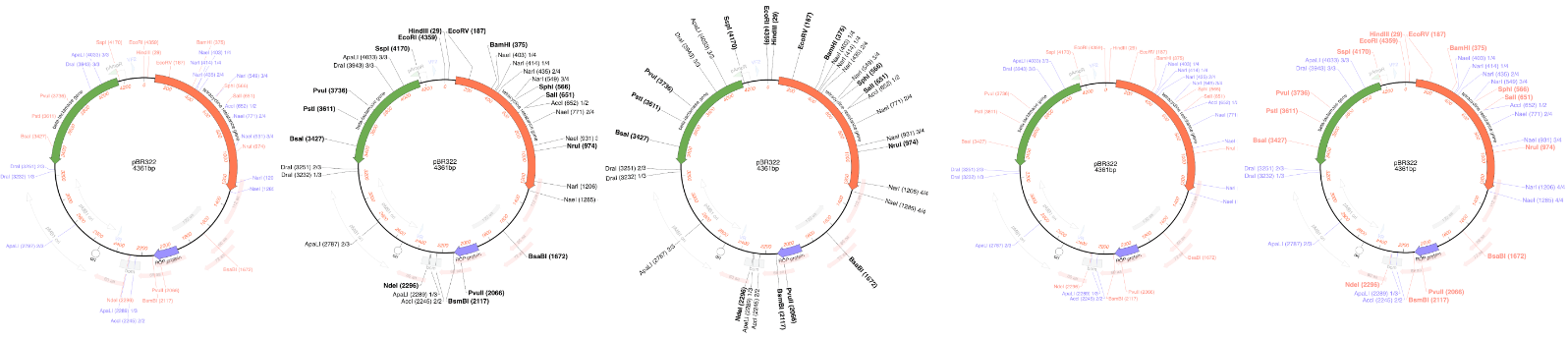
MacVector 26.1 – Make beautiful plasmid maps
We are pleased to announce our latest release. MacVector has always been about producing beautiful plasmid maps. Our latest release MacVector 26.1 takes this to a new level with customization of dynamically generated maps with SmartLine graphics. SmartLine Graphics MacVector gives the user great flexibility for customizing graphical maps. They look how you want them…
-
SmartLine graphics make beautiful plasmid maps
MacVector has always been about producing beautiful plasmid maps. Our latest release MacVector 26.1 takes this to a new level with customization of dynamically generated maps with Smart Line graphics. MacVector gives the user great flexibility for customizing graphical maps. They look how you want them to look. Every aspect can be changed, fonts, colours,…
-

MacVector and macOS Golden Gate
Apple released macOS Golden Gate on Monday (14th Sept 2026). Over the past few months we’ve been testing MacVector on development betas of macOS Golden Gate. We are happy to share that MacVector 26 is fully supported on macOS Golden Gate. Known Issues Legacy versions of MacVector. MacVector 26 is a fully Universal Binary application…
-
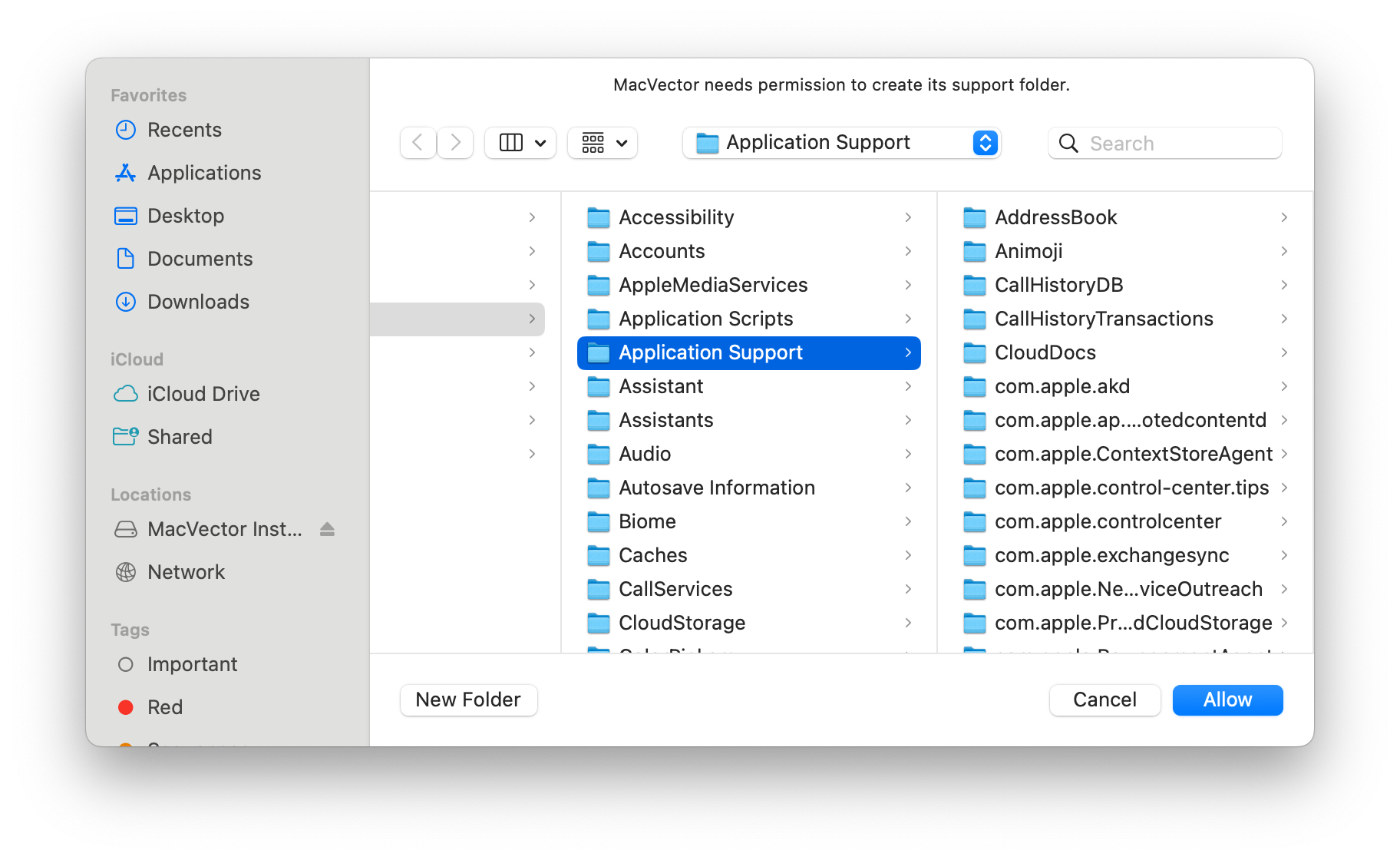
Running MacVector 26 for the first time.
Our latest release MacVector 26 is now a sandboxed application following Apple’s guidelines. For many years now, Apple has encouraged developers to create applications that run in a Sandbox on macOS. This protects your computer and your data from intentional or accidental data access or corruption from a rogue or poorly written application. Our website has a technical explanation of macOS Sandboxing. However,…
-

Introduction to Golden Gate Cloning
MacVector 26 (released July 2026) saw the addition of Golden Gate Cloning to the Cloning Project Manager. Golden Gate Cloning is a molecular cloning technique that enables the seamless, orderedassembly of multiple DNA fragments into a single construct in one reaction. Its defining featureis the use of Type IIS restriction enzymes, which recognize specific asymmetric…
-
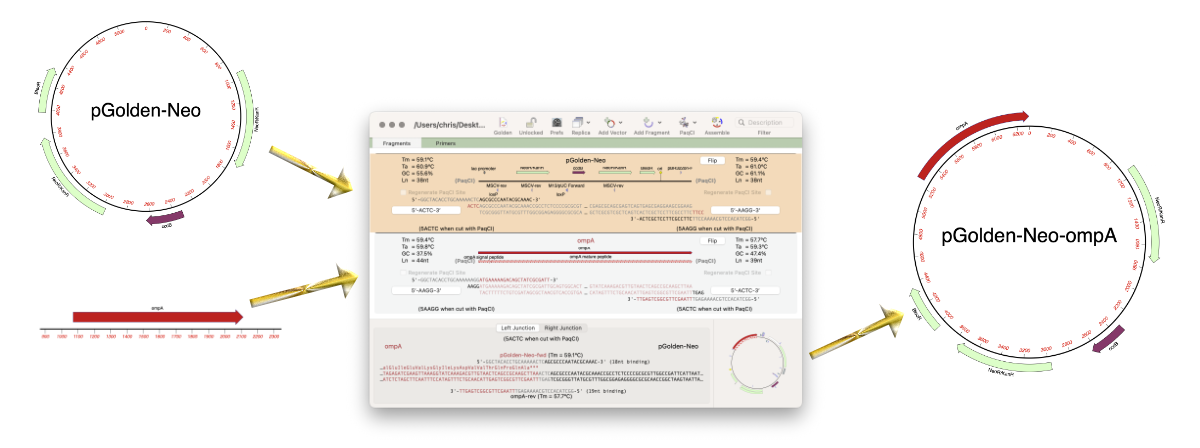
MacVector 26 has just been released!
MacVector 26 was released last week (13 July 2026) and it’s a significant release. MacVector 26 has new features for designing and documenting cloning workflows and for managing your sequences. The new Cloning Project Manager allows you to design Golden Gate Cloning workflows. So along with Ligase Independent Cloning, Gibson Assembly and traditional restriction enzyme…
-
MacVector 26: Understanding macOS sandboxing
For many years now, Apple has encouraged developers to create applications that run in a “Sandbox” on macOS. In fact, for the last few years, any application downloaded from the Apple App Store must be set to run in a sandbox. This protects your computer and your data from intentional or accidental data access or…
-
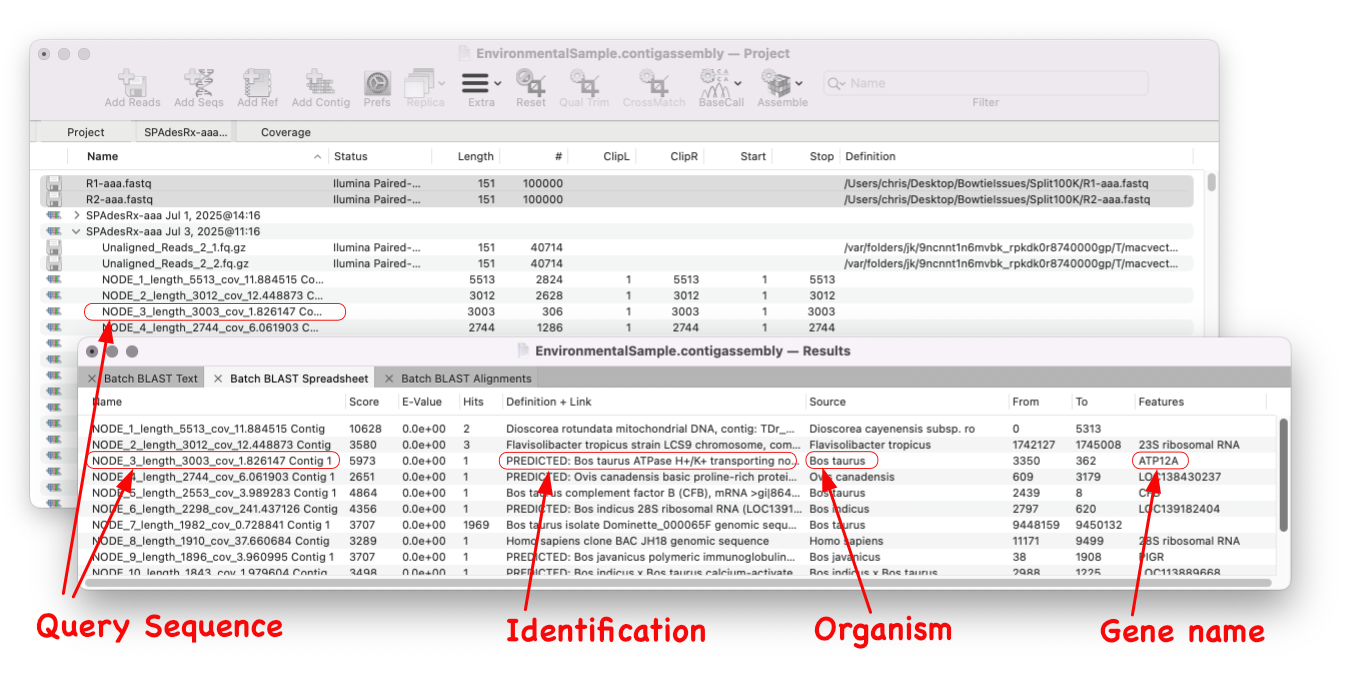
Batch BLAST
MacVector 18.8 is out and it’s packed with new tools! MacVector 18.8 has tools to help you identify and annotate unknown, unannotated or partially annotated sequences. Ideal for identifying contigs from a de novo assembly. One of these new tools is AutoAnnotate (via BLAST) Batch BLAST is a game-changing feature that revolutionises the way you identify unknown sequences. With…
-
MacVector 18.8.2 is out
We’ve just released a minor update to MacVector 18.8. The main change is improvement to Codon Bias Table (CUT) import. But there are multiple bug fixes too. The release notes contain full details. You should be prompted to upgrade in MacVector, but you can also upgrade immediately: MACVECTOR | CHECK FOR UPDATES… You can also…
-
MacVector 18.8 Is Here – Packed with Powerful New Features
A game changer for identifying unknown sequences MacVector 18.8 is out and it’s packed with new tools! MacVector 18.8 has tools to help you identify and annotate unknown, unannotated or partially annotated sequences. Batch BLAST allows you to automate BLAST searches for multiple sequences and Auto-Annotate (via BLAST) allows you to automatically annotate multiple sequences.…