

Tag: cloning
-
Clone construction using Digest/Ligate rather than Copy/Paste
We’ve previously looked at using Edit | Copy and Edit | Paste to quickly and simply create new constructs using Restriction Enzyme sites. Here’s an alternative approach, using the Digest and Ligate buttons and the Cloning Clipboard. The sequence window Map tab has two buttons called Digest and Ligate. These work in a very similar…
-
Importing sequences from Addgene into MacVector
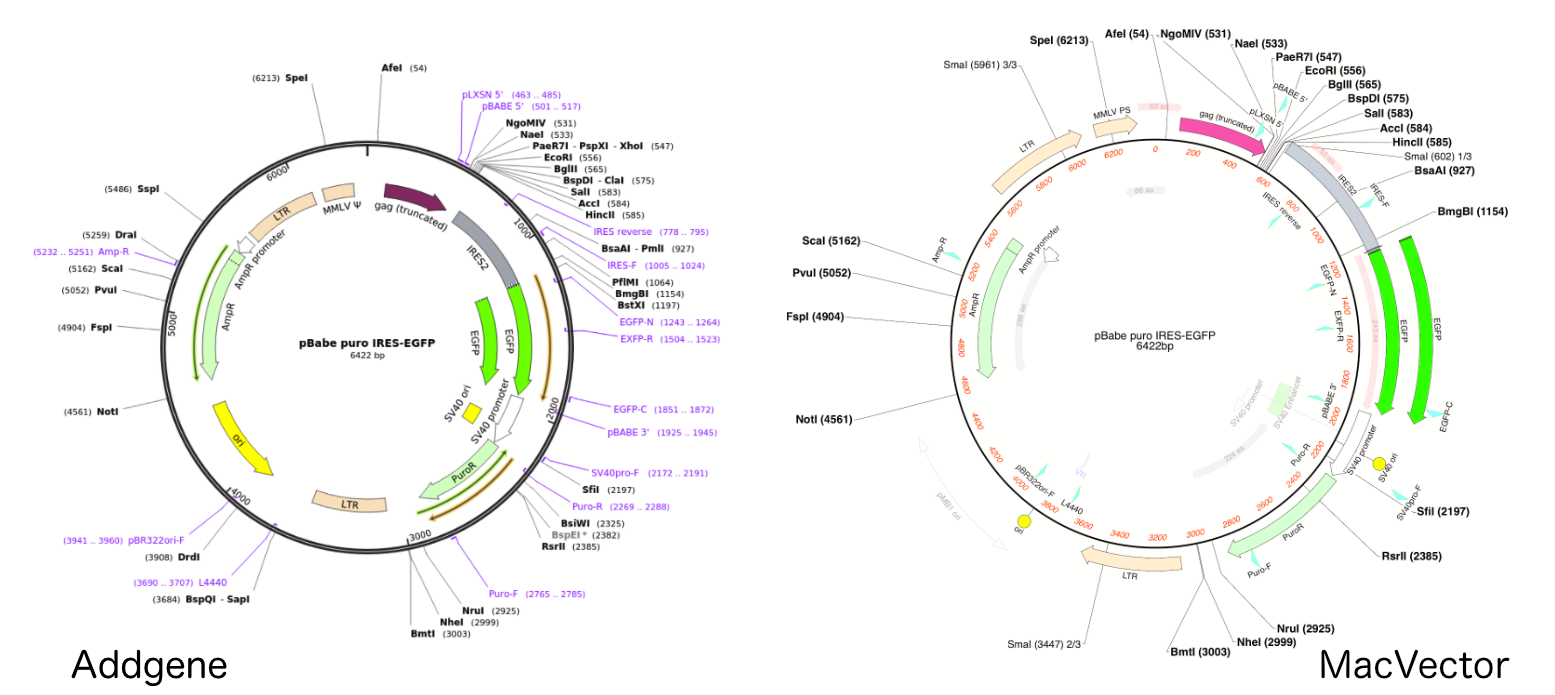
The Addgene repository is a great place for obtaining expression vectors and other plasmids for your research. Fully annotated sequences are available for most plasmid sequences, although older plasmid deposits may be only partially annotated. All are very easy to import into MacVector. All Addgene sequence deposits have a Genbank formatted sequence. This should contain…
-
Simple but accurate restriction enzyme based clone construction using Copy and Paste
The quickest and simplest way to create restriction enzyme generated constructs in MacVector is to use Edit | Copy and Edit | Paste. The strategy to use is identical to copying a paragraph from one Microsoft Word document to insert into a second document. i.e. Select the restriction enzymes flanking the source fragment in either…
-
Create constructs using MacVector’s Cloning Clipboard
You can create new constructs in MacVector by selecting two restriction enzyme sites, choosing Edit -> Copy, selecting a target restriction site in a different molecule and then choosing Edit -> Paste. It works great and fully understands compatible overhanging sticky ends preventing you from accidentally creating biologically impossible molecules. However, a far more flexible…
-
MacVector for Windows update: Using the Cloning Clipboard.
Macvector for Windows is getting closer. Here’s a short screencast on using the Cloning Clipboard:
-
Clone construction using Digest/Ligate rather than Copy/Paste
In previous post we looked at using Edit | Copy and Edit | Paste to quickly and simply create new constructs using Restriction Enzyme sites. This post will look at an alternative approach, using the Digest and Ligate buttons and the Cloning Clipboard. The sequence window Map tab has two buttons called Digest and Ligate.…
-
Simple but accurate restriction enzyme based clone construction using Copy and Paste
The quickest and simplest way to create restriction enzyme generated constructs in MacVector is to use Edit | Copy and Edit | Paste. The strategy to use is identical to copying a paragraph from one Microsoft Word document to insert into a second document. i.e. The red line around the left ends indicates that they…
-
How to change the default appearance of RE sites
MacVector is extremely customizable. If you don’t like the defaults we supply, its very easy to change them. Lets look at restriction enzyme sites. By default we show unique sites in small red letters and sites that cut more than once in small blue letters. But suppose you want something bigger, bolder and, well, more…
-
Working with digested fragments in the Cloning Clipboard
The Cloning Clipboard is an easy, and flexible, way to design and document your cloning strategies. Here’s two tips on manipulating a single fragment. – If you drag a fragment from the Cloning Clipboard to a vector, then you’ll get the ligation dialog. However, if you have already selected a pair of enzyme sites, then…
-
Controlling the realism of Agarose Gels
The default settings for the agarose gel display in MacVector generate a reasonable photorealistic simulation of an agarose gel. We have actually boosted the intensity of small bands quite significantly, and reduced their diffusion so that smaller bands show up a little more obviously and crisply than they might in real life. Even so, you…